

Launch Week Checklist and First 7 Days: SEO, QA, and Post-Launch Monitoring
Part 7 of the J Luxe rebuild series: the exact website launch checklist, SEO QA routine, analytics checks, and first 7-day monitoring process used to avoid launch-week chaos.
Search intent
Informational - first-hand case study and implementation lessons
Primary focus
website launch week checklist
Built for
Teams that need clearer website decisions before they spend.

Academy article
Victorious
Founder, Web Growth
Published
2026-02-24
Reviewed
2026-07-13
Best next move
Use this guide as the strategy layer, then bring in implementation support for redirects, metadata, content structure, and launch QA.
View SEO Service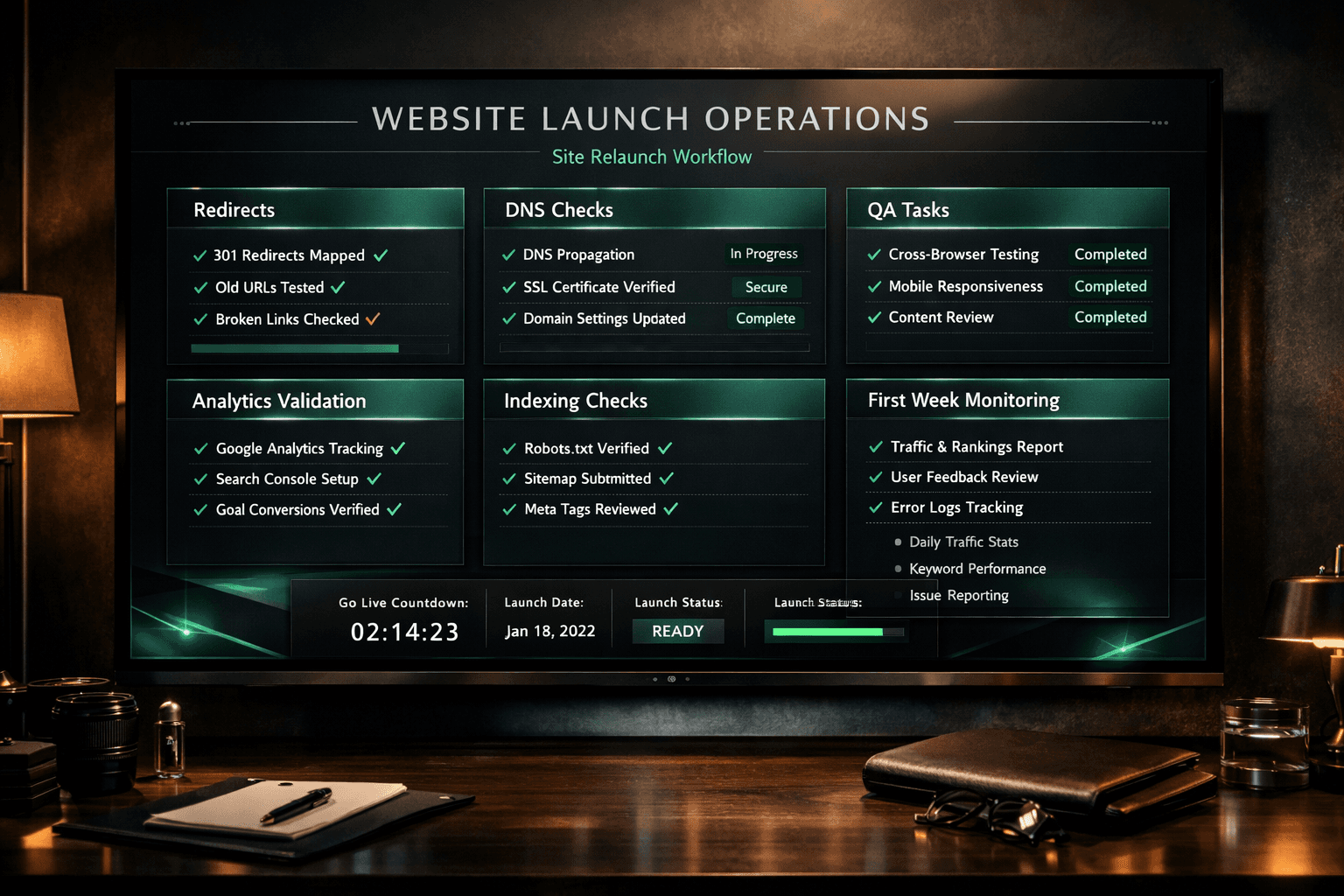
Article History
Published: February 24, 2026
Updated: July 13, 2026
Reviewed: July 13, 2026
Editorial Note
This checklist records the release controls used for the J Luxe rebuild; it does not treat seven days of observations as long-term performance proof.
Checks are ordered by reversibility and business impact: access and routing, conversion journeys, measurement, crawlability, then presentation defects.
Author
Founder, Web Growth
Founder-led strategist and developer focused on high-performance websites, conversion systems, and practical growth execution for service and ecommerce businesses.
- Next.js web architecture
- Conversion-focused website strategy
- Technical SEO foundations
- Website performance optimization
- Service-business growth systems
Key Takeaways
- Launch readiness depends on redirects, forms, analytics, crawl signals, and rollback ownership.
- The first week is for detecting regressions, not declaring long-term SEO or conversion results.
- Every critical check needs an owner, expected result, and escalation path.
What You Will Need
- Current website URL and business objective.
- Primary audience and offer clarity notes.
- Baseline performance data (traffic, leads, or sales).
Common Mistakes
- Starting execution before strategic clarity.
- Relying on aesthetics without conversion structure.
- Skipping QA before launch or campaign traffic.
Process Steps
- 1Freeze the route and redirect map before DNS changes.
- 2Verify critical journeys, analytics, metadata, and crawl controls in production.
- 3Monitor errors, forms, indexing signals, and performance daily for seven days.
- 4Record defects and fix high-impact regressions before cosmetic issues.
Academy lesson
Strategy, implementation notes, and decision support
Launch Week Checklist and First 7 Days (Part 7)
Most website rebuilds do not fail during design.
They fail during launch week.
That is the phase where small mistakes compound:
- redirects go live with gaps
- analytics events stop recording
- pages are technically published but not properly discoverable
- forms work on one device and fail on another
- no one knows which issue matters most first
That is why launch week needs a system.
In this J Luxe rebuild series, we have already covered strategy, audit logic, migration safety, service page conversion, premium design, and technical architecture:
- Why We Rebuilt, Not Redesigned (Part 1)
- The Audit That Created the Roadmap (Part 2)
- SEO Migration Without Losing Traffic (Part 3)
- Writing Service Pages That Convert (Part 4)
- Premium Design Without Slow Pages (Part 5)
- Next.js Architecture and Build Decisions (Part 6)
Part 7 is the operating layer.
This post breaks down the exact launch checklist we used for DNS, redirects, QA, event tracking, indexing checks, and the first-week monitoring routine after go-live.
If your team wants a calm launch instead of a reactive one, this is one of the highest-value parts of the entire series.
Why launch week causes avoidable losses
A launch can look successful on the surface while quietly creating SEO and conversion problems underneath.
That happens because many teams define launch too narrowly.
They think launch means:
- the new site is live
- the design looks right
- the homepage loads
- the contact form appears to work
That is not enough.
A real launch check must also confirm:
- redirects resolve correctly
- canonical tags point to the right host and path
- analytics and conversion tracking are recording
- priority pages are indexable
- internal links route users to the right next steps
- commercial pages render correctly on mobile
Without that discipline, a rebuild can go live and still lose momentum immediately.
The launch principle we used
Our rule was simple:
`Launch is a controlled validation phase, not the finish line.`
That mindset changes behavior.
Instead of treating launch day as the last burst of work, we treated it as the first day of operational monitoring.
That meant:
- 1launch-critical checks were defined before go-live
- 2ownership for each check was clear
- 3top-priority pages were tested first
- 4the first 7 days already had a monitoring plan
This is what keeps launch week from turning into firefighting.
Phase 1: The pre-launch checklist before DNS changes
Before any DNS or final cutover work, we wanted the new site to pass a controlled readiness check.
This included five categories.
1) Page readiness
We checked that all priority pages had:
- final or approved copy
- correct metadata
- working internal links
- visible CTA paths
- mobile-ready layout
Any page that was still "mostly done" was treated as not ready.
2) Redirect readiness
We verified that the redirect map was complete for:
- high-traffic pages
- top conversion pages
- old service URLs
- legacy blog URLs with links
If a high-value redirect was still uncertain, launch did not get simpler by delaying the decision.
It got riskier.
3) Technical SEO readiness
We checked:
- canonical tags
- indexability
- `robots.txt`
- `sitemap.xml`
- structured data
These are not optional polish items.
They are launch assets.
4) Analytics readiness
We made sure traffic and enquiry behavior could still be measured after launch.
That meant checking:
- pageview tracking
- form tracking
- CTA click tracking
- any booking or handoff events
If a site launches without visibility into conversion behavior, post-launch decisions become guesswork.
5) Environment and deployment readiness
We verified the deployment was stable enough to carry production traffic and final checks.
That included:
- production build success
- no unresolved environment variable issues
- no blocked third-party scripts breaking important flows
- no broken image or asset references on key templates
The exact launch day checklist
Launch day should be practical and repeatable.
This was the operating order we used.
1) Confirm DNS and host behavior
As soon as the production domain resolves to the new site, check:
- apex vs `www` behavior
- HTTPS response behavior
- any host-level redirect rules
- whether canonical URLs match the intended final host
This matters more than some teams realize.
A host-level redirect mistake can affect every page at once, including sitemap-submitted URLs.
2) Validate high-priority URLs manually
We manually checked:
- homepage
- core service pages
- pricing page
- contact route
- blog index
- top supporting posts
Each page was checked for:
- correct status code
- correct canonical
- no accidental redirect
- visible CTA
- stable layout
Do not rely only on automated assumptions for the first pass.
3) Check redirect behavior on legacy URLs
This is where migration discipline shows up.
We tested:
- exact legacy URL to final URL match
- no redirect loops
- no multi-hop chains
- no mismatched intent destinations
If the redirect works technically but sends users to the wrong type of page, it is still a launch problem.
4) Validate forms and primary actions
This is one of the most common launch blind spots.
We tested:
- contact forms
- booking buttons
- email links
- WhatsApp and external CTA flows
These need testing on both desktop and mobile.
A beautiful launch that loses enquiries in the handoff flow is not a successful launch.
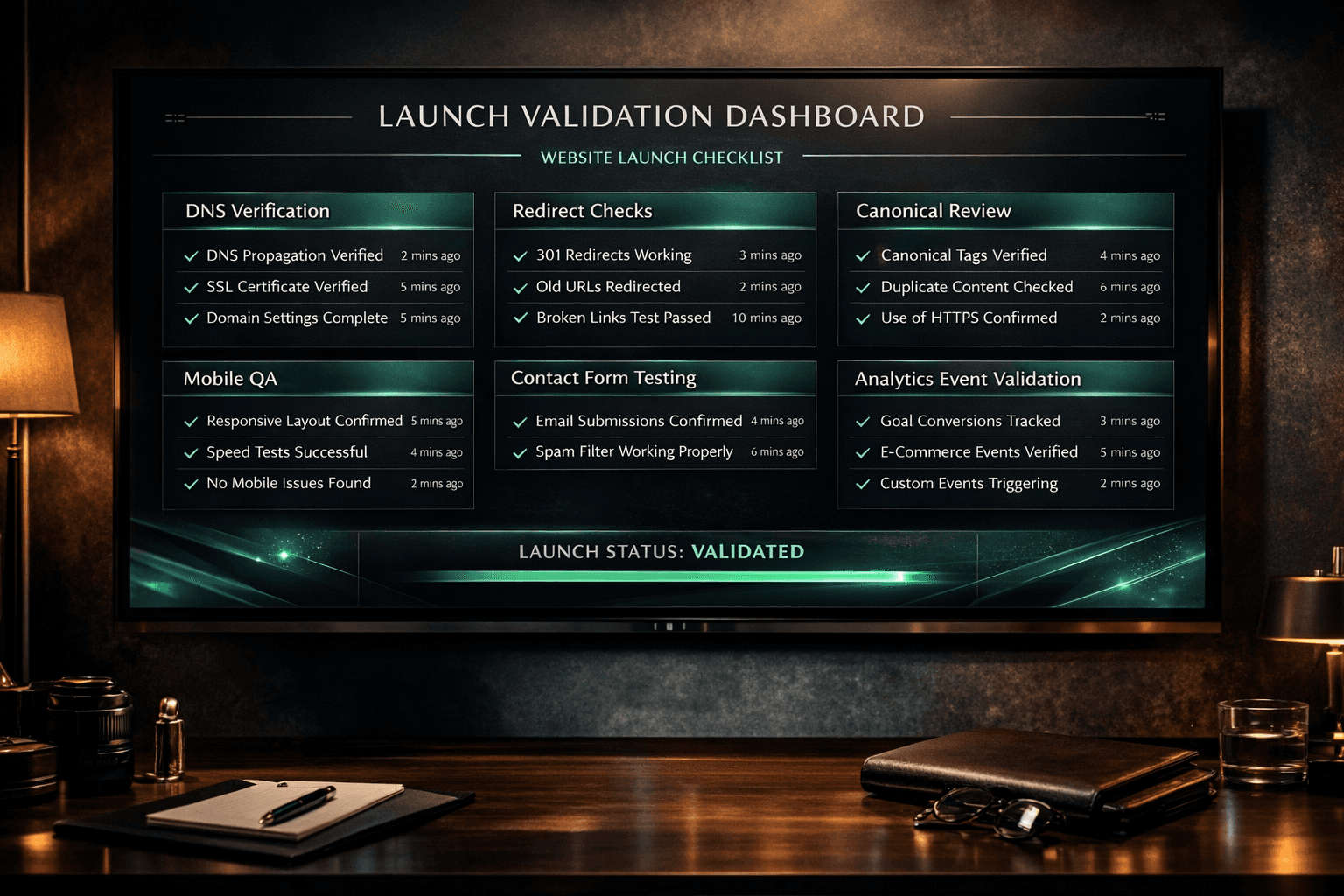
5) Check analytics and tracking events
Immediately after launch, confirm whether:
- pageviews are recording
- top CTA clicks are visible
- forms and thank-you routes are tracked correctly
- source and landing-page data still make sense
Launch day is the wrong time to "assume analytics probably works."
6) Submit and verify crawl assets
Once the live host and URLs are correct:
- verify `robots.txt`
- verify `sitemap.xml`
- confirm priority pages are discoverable internally
- submit or resubmit the sitemap where appropriate
This helps search engines process the new state more quickly and cleanly.
The first 24 hours: what matters most
The first 24 hours are about stability, not optimization.
Do not start rewriting copy or reshuffling sections immediately after launch.
First, confirm that the system is behaving as expected.
Primary checks:
- no unexpected redirect behavior
- no broken core navigation paths
- no missing assets on priority pages
- no form or CTA handoff failures
- no immediate indexing control mistakes
If those are stable, then the launch is moving in the right direction.
If not, fix those before anything cosmetic.
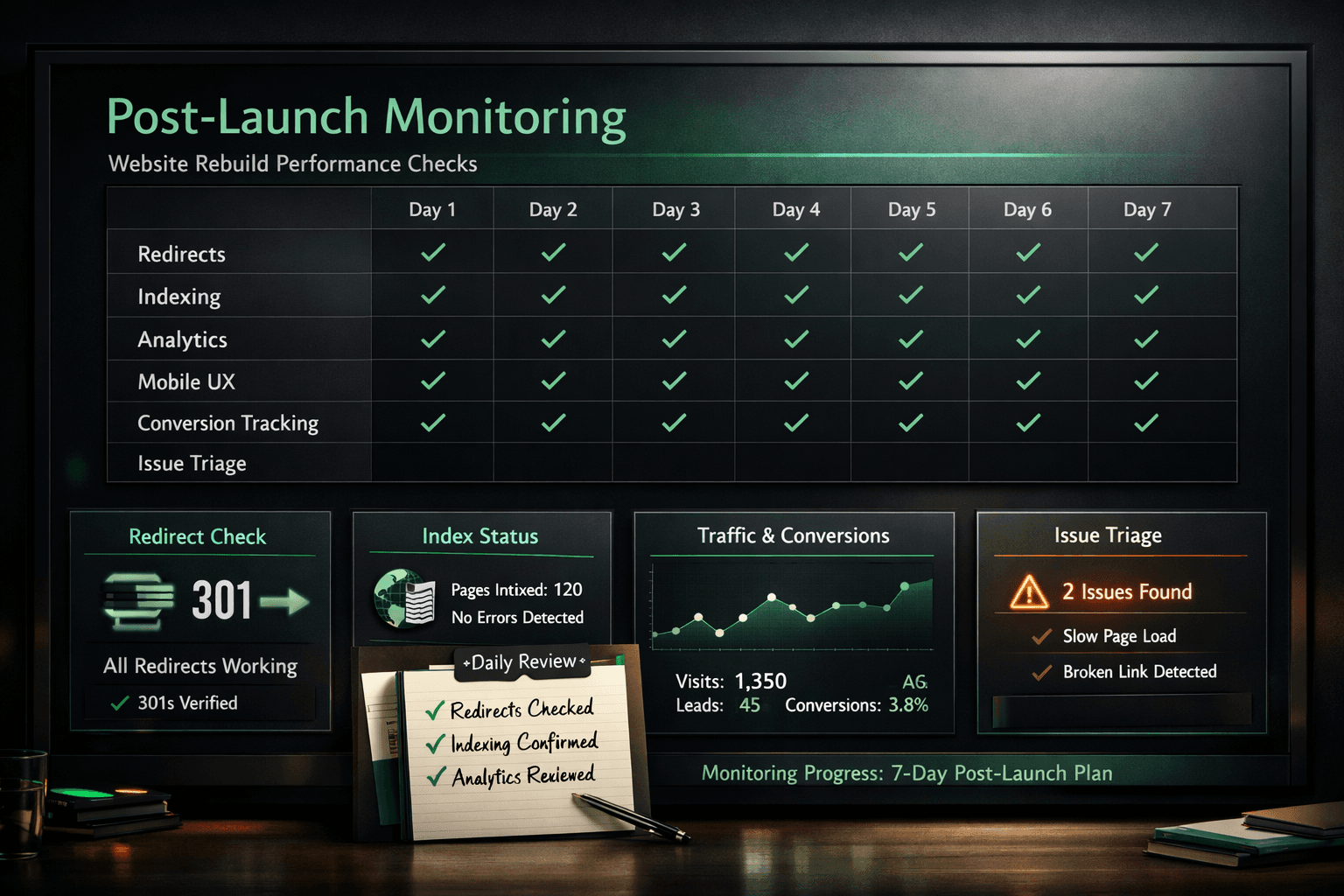
The first 7 days monitoring routine
This was the actual operating rhythm we used after launch.
Day 1: stability check
Focus:
- status codes
- redirect correctness
- top page rendering
- core CTA and form flows
- analytics visibility
Questions:
- Are the most important pages reachable without redirect issues?
- Are conversion actions working?
- Is the live host behavior correct?
Day 2: crawl and indexation check
Focus:
- sitemap availability
- robots behavior
- indexable page review
- canonical review
- internal linking sanity check
Questions:
- Are search engines seeing the intended URLs?
- Are canonical targets still correct after launch?
- Are there any obvious crawl blockers?
Day 3: mobile and conversion check
Focus:
- mobile scroll flow
- CTA visibility
- contact page usability
- pricing clarity
- FAQ readability
Questions:
- Does the mobile experience still guide visitors cleanly?
- Are trust and action blocks visible where they should be?
Day 4: analytics quality check
Focus:
- traffic source accuracy
- landing-page tracking
- form completion visibility
- CTA click event integrity
Questions:
- Are we measuring the right things?
- Did any key event disappear during launch?
Day 5: technical SEO review
Focus:
- canonical tags
- metadata output
- structured data
- response behavior on priority pages
- redirect edge cases
Questions:
- Did any template drift after deployment?
- Are there any host or path inconsistencies left?
Day 6: business-page review
Focus:
- homepage
- service pages
- launch or pricing pages
- contact page
- top supporting content
Questions:
- Are the highest-value pages actually doing their jobs?
- Is the path from page visit to enquiry still clear?
Day 7: triage and prioritization
Focus:
- issue list review
- severity sorting
- fix ownership
- post-launch improvement queue
Questions:
- Which issues are true blockers?
- Which are important but not urgent?
- What should ship immediately vs after observation?
The launch metrics we cared about first
Post-launch noise can overwhelm teams quickly.
That is why we tracked a small set of signals first.
SEO signals
- indexability of priority pages
- redirect stability
- sitemap health
- canonical correctness
- crawl anomalies
Conversion signals
- form completions
- contact CTA clicks
- pricing page interaction
- enquiry path continuity
Experience signals
- mobile usability
- broken links or dead ends
- asset failures
- obvious layout regressions
This is a better early warning system than staring at total traffic alone.
How we prioritized launch issues
Not every issue deserves the same urgency.
We used a simple triage order.
Priority 1: revenue blockers
Examples:
- forms not submitting
- broken contact flow
- key CTA links failing
- pricing or service pages inaccessible
Priority 2: SEO blockers
Examples:
- wrong host redirects
- accidental noindex
- broken canonicals
- redirect loops
- missing sitemap access
Priority 3: trust and UX blockers
Examples:
- broken images on high-traffic pages
- mobile layout issues in core sections
- proof blocks rendering poorly
- FAQ or policy pages loading incorrectly
Priority 4: polish
Examples:
- spacing issues
- small copy refinements
- secondary image quality improvements
This helps teams avoid spending launch week polishing minor design details while bigger issues still affect traffic or enquiries.
The launch mistakes we intentionally avoided
Mistake 1: treating launch as one day instead of one week
A site can go live successfully and still need careful monitoring.
Launch is a phase, not a moment.
Mistake 2: checking only the homepage
The homepage rarely tells the full truth.
Commercial pages, supporting posts, and contact paths often reveal the real issues first.
Mistake 3: failing to test the final host
Host-level redirects, canonical mismatches, and SSL behavior can affect every URL at once.
Mistake 4: assuming analytics is fine because the site is live
Launch can quietly break event and conversion measurement.
Mistake 5: no triage system
Without issue priorities, teams bounce between problems and lose speed.
A copy-and-use website launch checklist
Use this before and during your next launch.
Before launch
- approve final page copy and metadata
- confirm redirect map coverage
- verify canonical and index rules
- confirm production build passes
- test forms and CTA paths
- confirm analytics event plan
Launch day
- confirm live host behavior
- test priority URLs manually
- validate legacy redirects
- test forms, booking, and contact routes
- verify analytics is recording
- verify `robots.txt` and `sitemap.xml`
First 7 days
- monitor redirects and status behavior
- review crawl and indexation signals
- check mobile UX on core pages
- confirm conversion tracking integrity
- triage fixes by business and SEO impact
This should be a shared checklist, not one person's memory.
For broader reference, pair this with: Website Launch Checklist for Small Businesses.
What changed because launch week had a system
The biggest result was not just fewer technical issues.
It was calmer decision-making.
Because the checklist and monitoring plan already existed:
- launch checks happened faster
- issue severity was clearer
- SEO risks were easier to isolate
- conversion blockers were found earlier
- post-launch momentum stayed intact
This is why launch operations matter so much.
A rebuild can be strategically brilliant and still underperform if launch execution is messy.
Next in the series
Part 8 is the full retrospective:
`08-results-mistakes-and-reusable-playbook`
We will cover what worked, what failed, what we would do differently, and the repeatable playbook that came out of the entire rebuild.
FAQ
What is the most important part of launch week?
Verifying the live host, priority URLs, redirects, forms, and tracking before you start worrying about lower-priority polish.
How long should launch monitoring last after a rebuild?
At minimum, the first 7 days should have a structured routine, with extra SEO and conversion review continuing beyond that for important pages.
Why do websites lose traffic after launch?
Usually because of redirect issues, host mistakes, canonical problems, broken internal links, or indexability errors that were not validated properly.
Should analytics be part of a launch checklist?
Yes. If analytics and conversion tracking are missing or broken, the team loses visibility into what the new site is actually doing.
Is this checklist only for large websites?
No. Small business websites often need it even more because a few important pages drive most enquiries and SEO value.
Launch week is where preparation becomes proof.
If your system is strong, launch becomes controlled.
If your system is weak, launch exposes every hidden assumption at once.
That is why post-launch discipline is part of the build, not something separate from it.
Ongoing checks can be handled through the website maintenance service when the business does not have internal technical ownership.
Related reads
- Next.js Architecture and Build Decisions (Part 6)
- SEO Migration Without Losing Traffic (Part 3)
- Website Launch Checklist for Small Businesses
- J Luxe Website Rebuild Series: 8-Part Announcement
Continue learning
FAQ
Launch Week Checklist and First 7 Days: SEO, QA, and Post-Launch Monitoring FAQ
Short answers to the planning, implementation, and decision questions readers usually ask next.
Define the commercial outcome and baseline metrics, then prioritize the highest-impact fixes first.
Use clear scope, measurable goals, and structured QA before and after launch.
Downloadable Checklist
Launch Week Checklist and First 7 Days: SEO, QA, and Post-Launch Monitoring checklist
Use this checklist while implementing the guide to avoid missed steps.
Download ChecklistRelated Reads
Keep building context, not just page views
These Academy guides expand the same implementation path so readers can move from strategy to action without losing momentum.
Pricing
5 min read
Website Redesign Cost in Nigeria: What Affects the Price?
Learn what affects website redesign cost in Nigeria, including page count, content, speed, SEO, mobile experience, integrations, and redesign scope.
Case Study
5 min read
Case Study: Rebuilding J Luxe Medical Aesthetics for Trust, Clarity, and a Stronger London Presence
A practical case study on rebuilding the J Luxe Medical Aesthetics website for a London clinic that needed stronger trust, clearer treatment pages, and a better path to enquiry.
Case Study Series
11 min read
Results, Mistakes, and Reusable Playbook: The J Luxe Rebuild Retrospective
Part 8 of the J Luxe rebuild series: the real results, most expensive mistakes, and reusable website growth playbook that came out of the full rebuild.
Case Study Series
12 min read
Next.js Architecture and Build Decisions: Technical SEO and Website Maintainability
Part 6 of the J Luxe rebuild series: the Next.js architecture decisions that improved performance, crawlability, publishing speed, and long-term maintenance during the rebuild.
Our articles are written and reviewed in-house using real website launch, redesign, technical SEO, and conversion work. We update posts when our process changes, and we keep the advice aligned with what we actually implement for businesses in Nigeria and remote international markets.
Internal Resource
Planning a higher-stakes SEO move?
Use this guide as the strategy layer, then bring in implementation support for redirects, metadata, content structure, and launch QA.
View SEO Service