

When Cheap Hosting Hurts a Business Website: A Practical Migration Guide
Hosting affects reliability, support options, and the amount of control you have over a business website. This guide explains how to compare hosting and plan a careful migration without assuming one provider fits every site.
Search intent
Informational - diagnose and improve website performance
Primary focus
cheap hosting migration
Built for
Teams that need clearer website decisions before they spend.

Academy article
Victor Chinukwue
Founder, Web Growth
Published
2026-02-12
Reviewed
2026-02-12
Best next move
Get a senior review of your slow templates, scripts, asset loading, and conversion bottlenecks.
Explore Speed Optimisation
Article History
Published: February 12, 2026
Updated: February 12, 2026
Reviewed: February 12, 2026
Editorial Note
This guide describes evaluation criteria and migration steps; it does not report a measured client performance outcome.
Recommendations follow practical implementation-first workflows with measurable QA checkpoints.
Author
Founder, Web Growth
Founder-led strategist and developer focused on high-performance websites, conversion systems, and practical growth execution for service and ecommerce businesses.
- Next.js web architecture
- Conversion-focused website strategy
- Technical SEO foundations
- Website performance optimization
- Service-business growth systems
Key Takeaways
- Hosting should be evaluated against traffic, support, security, and control requirements.
- A measured baseline is more useful than a generic speed promise.
- Migration planning should include backups, staging, DNS, and rollback steps.
What You Will Need
- Current website URL and speed test baseline.
- Hosting and plugin or integration visibility.
- A shortlist of key pages that affect revenue.
Common Mistakes
- Treating speed as only a plugin problem.
- Skipping mobile-first performance testing.
- Optimizing without a measurable baseline.
Process Steps
- 1Apply: Compare the hosting architecture.
- 2Apply: The Performance Architecture.
- 3Apply: Capture a performance baseline.
- 4Apply: Plan the migration and rollback.
- 5Apply: Review the operating and support model.
Academy lesson
Strategy, implementation notes, and decision support
How to Evaluate Hosting Before a Business Website Migration
Editorial note: This guide includes an affiliate link to Cloudways. The technical workflow and evaluation criteria in this article are written to be useful even if you choose a different provider.
If you are building a digital business, your hosting is not a utility. It is your foundation.
Hosting is part of a website’s operating environment. It affects the available controls, support model, backup options, deployment workflow, and the way performance issues are investigated.
The right choice depends on the site, audience, traffic pattern, application, budget, and technical capability. Shared hosting is not automatically unsuitable, and managed cloud hosting is not automatically the best fit. The responsible starting point is a baseline and a comparison of requirements.
This is not a generic review. It is a technical breakdown of managed cloud hosting tradeoffs, migration workflow, and performance checkpoints.
Start your free Cloudways trial here to follow along.
The "Shared Hosting" Trap
To compare providers fairly, start with the operating model rather than a provider slogan.
Tier 1: Shared Hosting (The "Bus")
Think of shared hosting like a public bus. You pay a small fare ($3/mo), but you are crammed in with 50 other people. If one person smells bad (spam site) or takes up too much space (high traffic site), everyone suffers.
Pros: Lower entry cost and simpler administration.
Cons: Fewer controls and potentially shared resource limits, depending on the plan.
Tier 2: VPS / Dedicated (The "Supercar")
This gives you more infrastructure control through a provider such as DigitalOcean, Vultr, or AWS, but it also increases the operational responsibility.
Pros: Unlimited power, total control.
Cons: You need to be a Linux System Administrator. You have to manage security patches, firewalls, and updates via command line. If it breaks, you fix it.
Tier 3: Managed Cloud (Cloudways)
Managed cloud products add an administration layer over infrastructure providers. The exact features, support scope, pricing, backups, and security responsibilities must be checked against the current provider documentation.
For a "Growth Engineer," this is the sweet spot. We want performance, but we don't want to spend our weekends updating Ubuntu kernels.
The Performance Architecture
Why can a different hosting architecture behave differently? The answer is the complete stack and the way it is configured.
When you launch a server on Cloudways, you aren't just getting file storage. You are getting a pre-configured performance stack known as "ThunderStack."
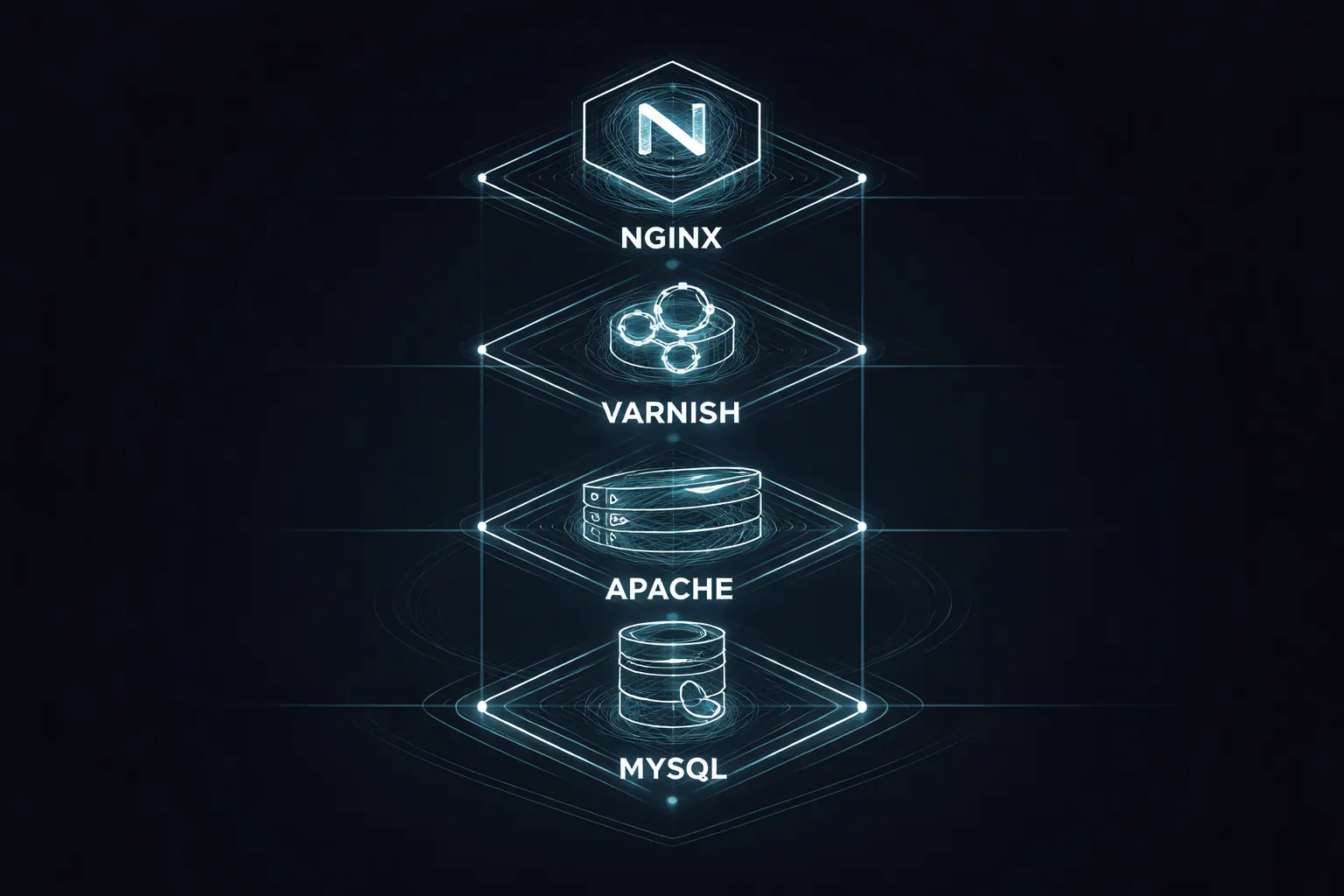
Caption: The Engineering Stack Behind the Speed
1. Nginx (The Reverse Proxy)
Unlike Apache (which is old and slow), Cloudways uses Nginx as a reverse proxy. Nginx is designed to handle thousands of concurrent connections with very low memory usage. It serves static content instantly before it even hits your application.
2. Varnish (The HTTP Accelerator)
This is a caching layer that sits in front of your web server. It stores a copy of your page in the server's RAM. When a user visits your site, Varnish serves the page from memory in milliseconds, bypassing the heavy database queries entirely.
Availability of caching and server features depends on the hosting plan and application configuration.
3. Redis (Object Caching)
For dynamic database queries (like WooCommerce carts or user sessions), Cloudways enables Redis. This prevents your database from getting hammered by repetitive requests.
4. PHP-FPM
PHP version support and request performance depend on the application, configuration, extensions, and provider plan. Check the provider’s current support matrix before committing.
Measure performance before and after a migration
Speed matters, but a hosting change alone does not establish a business result. Core Web Vitals can be reviewed alongside content quality, relevance, accessibility, and other search systems.
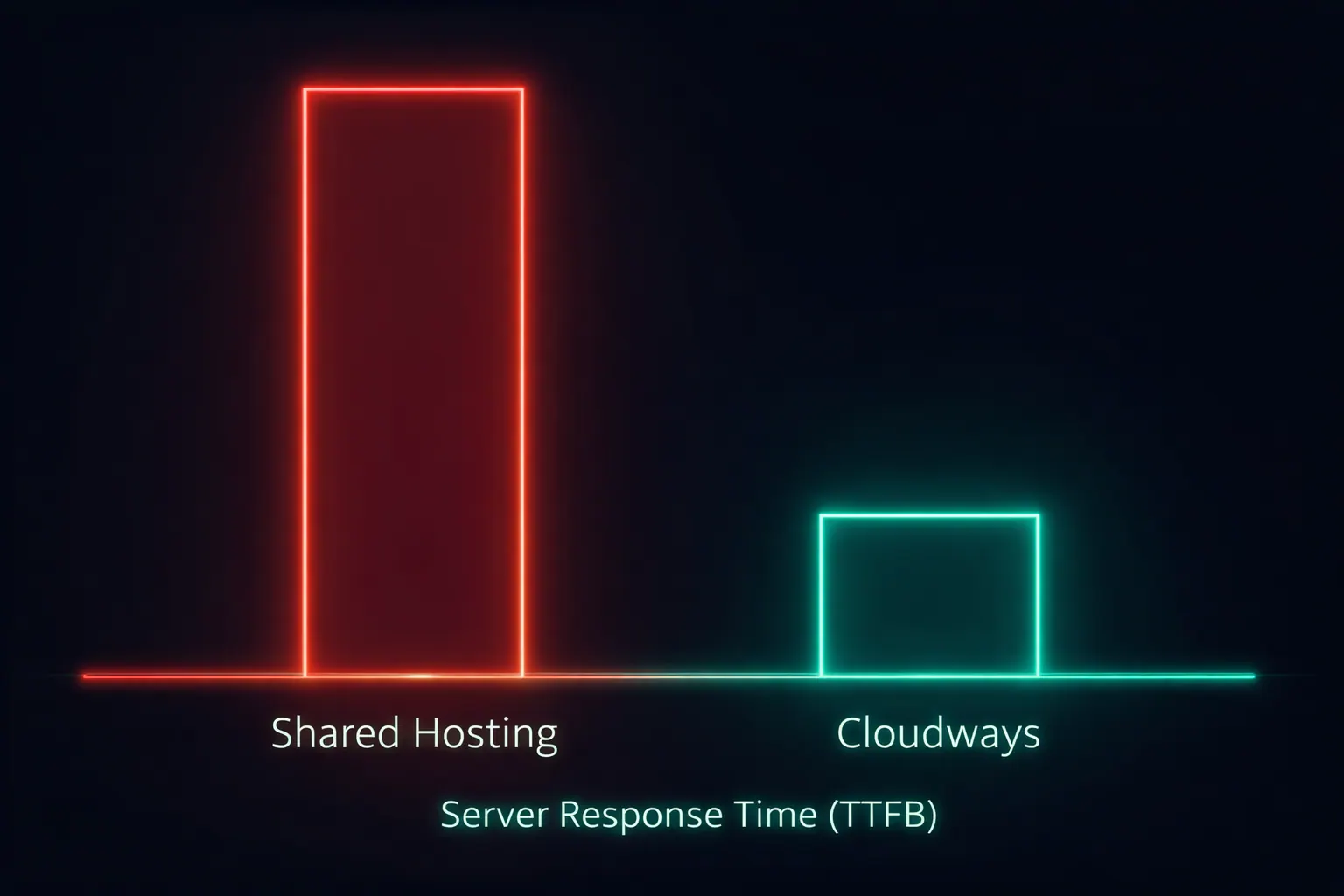
Caption: Average TTFB: Shared Hosting vs. Cloudways
Measure the pages that matter before and after the change. Record the device, location, test tool, date, cache state, and page template so the comparison is interpretable. If paid traffic is involved, review landing-page experience and campaign data separately rather than assigning every change to hosting.
The "Agency Control" Features
As an agency owner, performance is baseline. What keeps me on Cloudways is the Workflow.
1. Staging Environments
This is non-negotiable.
Never, ever edit a live client website. You will break it.
On Cloudways, you click "Clone to Staging." It creates an exact replica of the live site on a subdomain. You do your development, test the plugins, and break things safely. When you are done, you click "Push to Live."
The value of staging is risk reduction and a safer review process, not a guaranteed time saving.
2. Vertical Scaling
Let's say your client goes viral. They are on Shark Tank or they launch a huge Black Friday sale.
On shared hosting, your site crashes.
On Cloudways, you go to the "Vertical Scaling" tab, drag a slider from 2GB RAM to 8GB RAM, and hit save. The server scales up instantly to handle the load. When the rush is over, you scale it back down.
3. Automated Backups
I set my servers to backup every night. If a client destroys their site, I can restore it to "Yesterday at 3 AM" with one click. I charge clients a monthly maintenance fee for this peace of mind, essentially reselling a feature Cloudways gives me for free.
4. Team Management
I can give my developers access to specific servers without giving them my master billing details. They get their own SSH/SFTP credentials.
The Cost-Benefit Analysis
This is where people get stuck. Provider pricing changes, so compare the current plan pages and total cost of ownership before deciding.
No. It is the cost of two coffees.
If your website generates leads, compare the cost against the support, reliability, control, and operational requirements that matter to the business. Do not assume a hosting upgrade automatically pays for itself.
Furthermore, Cloudways is Pay-As-You-Go. You don't lock into a 3-year contract. If you don't like it, you leave next month.
My Recommended Setup:
- Provider: DigitalOcean (selected inside Cloudways).
- Server Size: 2GB RAM (The 1GB is fine for small sites, but 2GB allows for proper object caching).
- Location: Choose the data center closest to your customers (e.g., London for UK, NYC for US East).
How to Migrate (The Protocol)
You don't need to be a developer to switch. Cloudways has a "Migrator Plugin."
- 1Sign Up: Review the current provider offer and terms before creating an account.
- 2Launch Server: Select DigitalOcean > 2GB > Location.
- 3Install Application: Select WordPress or PHP Custom.
- 4Migrate: Install the Cloudways Migrator plugin on your old WordPress site. Enter the credentials from your new Cloudways dashboard.
- 5Click Migrate: The plugin copies everything over automatically.
- 6DNS Switch: Once you verify the site works on the staging URL, point your Domain DNS (A Record) to the new Cloudways IP.
That completes a basic migration path. Continue with monitoring, backups, restore testing, and post-launch checks before treating the migration as complete.
Summary
You cannot claim to be a "Performance Agency" or a "Conversion Expert" if your website runs on a slow, shared server. It is hypocritical.
Your infrastructure signals your competence.
Managed hosting can reduce some operational work, but it does not remove the need to monitor uptime, security, backups, application updates, and performance.
If Cloudways is not your choice, still use this migration framework
The key principle is not "Cloudways or nothing."
The principle is:
- run on infrastructure that can handle your traffic profile
- use staging before touching production
- keep automated backups and tested restore points
- monitor speed and uptime after launch
If another managed provider meets those standards for your market, the same protocol still applies.
Related technical guides
- How To Make Your Website Load Fast
- Best Website Hosting for Small Business Websites
- Website Launch Checklist for Small Businesses
- Website Tracking Setup for Small Businesses
Ready to test a managed cloud setup? Get $25 free Cloudways credit
For an independent review before migrating, use the domain registration and hosting guidance service.
The Migration Checklist
I have prepared a technical checklist for migrating sites without downtime, including DNS propagation handling and email server settings.
Download the Migration Protocol:
Continue learning
FAQ
When Cheap Hosting Hurts a Business Website: A Practical Migration Guide FAQ
Short answers to the planning, implementation, and decision questions readers usually ask next.
Capture a baseline first, then prioritize whichever bottleneck has the strongest measurable impact.
Yes. Faster pages usually improve trust, engagement, and lead completion rates.
Related Reads
Keep building context, not just page views
These Academy guides expand the same implementation path so readers can move from strategy to action without losing momentum.
Website Launch
6 min read
Website Launch Checklist for Small Businesses (Avoid Expensive Mistakes on Day One)
Launch day should not be chaos. Use this practical checklist to launch a fast, credible, conversion-ready website that actually generates enquiries.
Website Performance
7 min read
How to Make a Fast-Loading Business Website: 10 Practical Speed Fixes
Measure a representative business page, identify its actual bottleneck, and apply ten practical fixes without hiding regressions behind a single score.
Website Performance
5 min read
Best Web Hosting for a Small Business: Choose by Workload, Not Brand
Compare shared, managed, cloud, and platform hosting by workload, support, backups, and migration risk before committing to a plan.
WordPress
5 min read
How to Audit a Slow WordPress Site Before You Rebuild
Learn how to audit a slow WordPress site by checking images, plugins, scripts, hosting, mobile experience, Core Web Vitals, and page weight.
Our articles are written and reviewed in-house using real website launch, redesign, technical SEO, and conversion work. We update posts when our process changes, and we keep the advice aligned with what we actually implement for businesses in Nigeria and remote international markets.
Internal Resource
Need this fixed on a live site?
Get a senior review of your slow templates, scripts, asset loading, and conversion bottlenecks.
Explore Speed Optimisation